Subscribe to the Breaks Mailing List
HOME   :  GENERAL  :  MUSIC  :  MIXES  :  DJ CHARTS  :  PRODUCTION  :  UNSIGNED TUNES  :  EVENTS  :  FEATURES
OFF TOPIC  :  OTHER MUSIC  :  NEWBIES  :  SELL SWAP WANT  :  FORUM INFO
Go to NSB Radio - Online Breakbeat Radio Station
Launch Radio in WinAMP Launch Radio in Windows Media Player Launch Radio in RealPlayer Launch Radio in iTunes Launch Web Player

ON NOW :: ADVANCED BREAKBEAT SESSIONS - LIVE ON ...

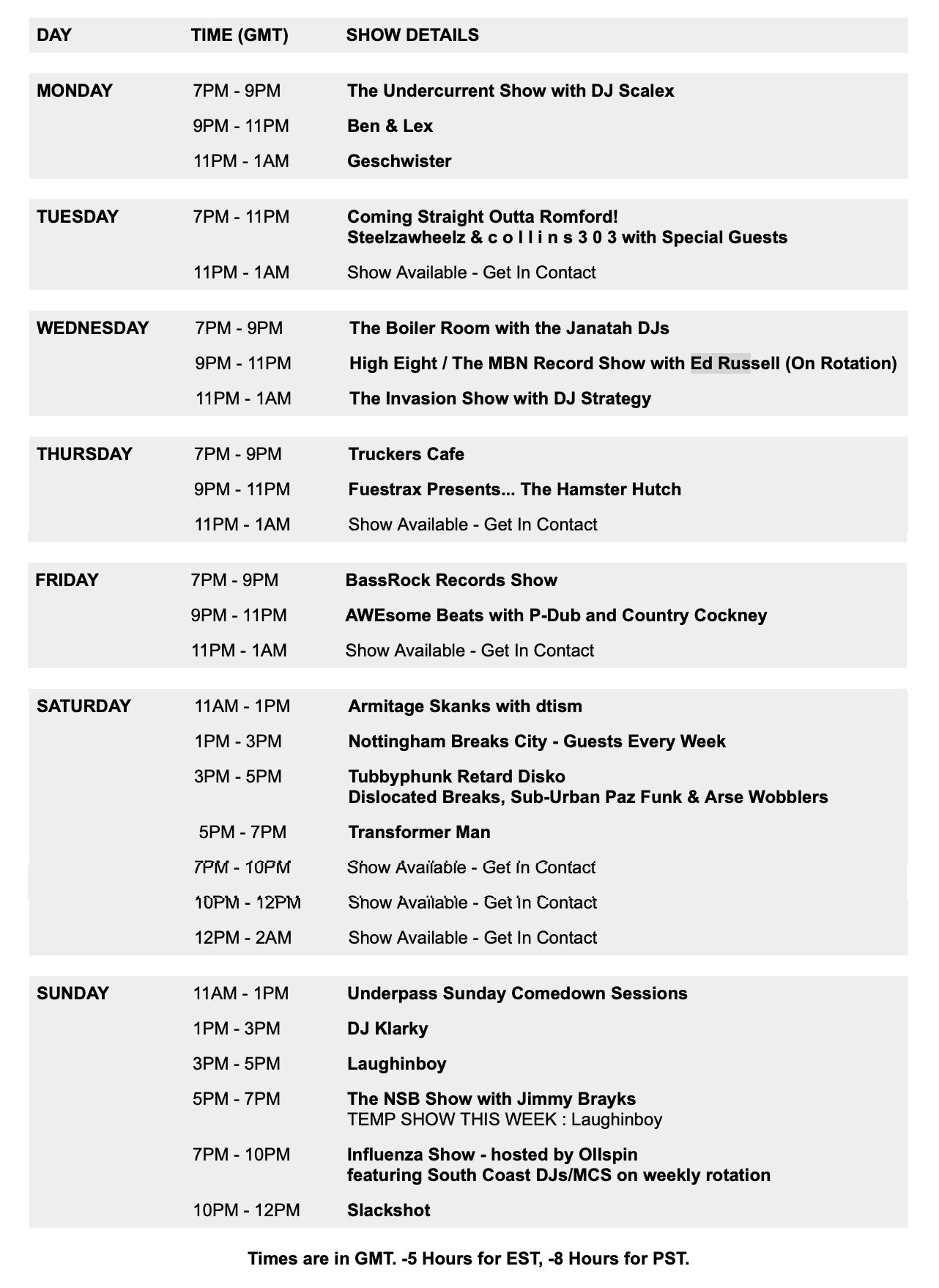
SHOW TIMETABLE
: CHAT ROOM : DOWNLOAD MP3 ARCHIVES
It is currently Wed May 22, 2013 12:50 am


Post new topic Reply to topic  [ 46 posts ]  Go to page 1, 2, 3, 4  Next
Author Message
PostPosted: Tue Nov 22, 2005 5:14 pm 
Offline
Forum Veteran
Forum Veteran
User avatar

Joined: Tue Jul 15, 2003 1:17 am
Posts: 11926
Location: bong
so there has been some sidechain talk where automation was mentioned (http://www.nuskoolbreaks.co.uk/viewtopic.php?t=40914). There are lots of ways to skin a cat, so lets hear some from the automaiton camp


It will be of interest to me to hear how other apps differ from Logic


I'll start the ball rolling by mentioning the elementary automation of modulation amounts, rather than a direct parameter. For instance increasing the LFO>filter so that a sound get varied over time nicely. Same for Panning amount, and LFO speed etc.

_________________
Image

"Once it has penetrated, a paralyzing saliva subdues the prey and the snail feeds at leisure, often beginning with the softest parts such as the gonads and gut."


Share on FacebookShare on TwitterShare on OrkutShare on DiggShare on MySpaceShare on DeliciousShare on Technorati
Top
 Profile  
 
 Post subject:
PostPosted: Tue Nov 22, 2005 5:24 pm 
Offline
Forum Veteran
Forum Veteran
User avatar

Joined: Mon Jul 26, 2004 6:38 pm
Posts: 3905
Location: Nottingham Breaks City
automation in the mixing environment of cubase, i use the uc-33e on the channel strip preset to control one channel at a time and then use the faders to automate things like send amounts, overall volume, and eq bits and pieces.

this way of working is a godsend for tweaking parameters and i would recommend anyone that is thinking about getting a control surface for dedicated DAW control to do so. worth it's weight in productivity.

in other automation news, i like to assign the faders and knobs on my ozonic to different midi channels and then record automation in for VST instruments and effects. this always gives a good starting (if not finishing as well) point for automating settings within synths and fx.

automation is the key to interesting mixes, it really helps make sounds interesting and allows you to put your own personal touches onto the production side of things!

_________________
Sir Shap Shankly (esq)
Myspace here

Image

"You know what you're doing with a knob" - Merka 2007


Top
 Profile  
 
 Post subject:
PostPosted: Tue Nov 22, 2005 5:39 pm 
Offline
Forum Veteran
Forum Veteran
User avatar

Joined: Thu Dec 18, 2003 3:53 am
Posts: 3766
Location: selling up! soon to retire to forum lurker
totally agree re surfaces - gots me a trigger finger and bcr 2000 and they are a god send - ive just found a program that uses a graphics tablet as a midi controller which could be handy - ill post a link later, not got a tablet myself but cosidering getting one


Top
 Profile  
 
 Post subject:
PostPosted: Tue Nov 22, 2005 9:42 pm 
Offline
Forum Veteran
Forum Veteran
User avatar

Joined: Sun Dec 05, 2004 11:48 pm
Posts: 9679
Location: in dads shed
Finish your tune (at least a rough version) and get a good "static" mix before you start automating stuff.

Possibly the odd effect send type move could be automated whilst writing a track.

This isnt a hard and fast rule but i think it avoids some nightmarish plate of tangly spaghetti type of situations.

Automation is good for complex tracks with lots of elements. It means you can make things get a little louder when they are important to the music and a bit softer when they arent such a feature in the track. Its a bit like being a conductor in an orchestra.......

You can also try putting a hi and lo pass filter on every element in your tune and arranging your track by automating the cuttoff frequencies.

The most obvious use of automation would be to fade something in or out

You can arrange a whole tune using just volume fades if you feel like it.

The whole of Precision Cuts "Another World" was arranged in this fashion. Possibly a few other moves but basically it was fades and filters.

Personally i have used plenty of different types of automation but i find that bizzarely the automation in reason is the one i like most. I use logic 7 but its a bit annoying.


Top
 Profile  
 
 Post subject:
PostPosted: Tue Nov 22, 2005 9:50 pm 
Offline
Forum Veteran
Forum Veteran
User avatar

Joined: Mon Mar 08, 2004 5:33 am
Posts: 4222
Location: Xander Crews Mansion
Sonar 5 comes with new envelope modes for beat sync patterns and stuff. Looks very interesting.

Agree with Tam on automating at the end, especially volumes. Nothing worse than realising you need to adjust some levels when you've got wires holding everything down.

Automating filters and volume are the obvious applications, but I like controlling interesting things like the frequency of a comb filter, delay speeds, gate thresholds/attacks/decays, bit crushers, reverb parameters etc etc....


Top
 Profile  
 
 Post subject:
PostPosted: Tue Nov 22, 2005 10:29 pm 
Offline
Forum Veteran
Forum Veteran
User avatar

Joined: Mon Jul 26, 2004 6:38 pm
Posts: 3905
Location: Nottingham Breaks City
i automate different elements of tape delay plugs. lurrrvely stuff.

in regards automating at the end, i sometimes find that automating stuff to get roughly how it sounds in your head down on the computer, and then when you come back to mix, starting afresh (i.e. removing all automation on a track) to do the mix properly works quite well. it's rough and ready during writing as it doesn't often require great accuracy, just something to sketch your ideas out.

_________________
Sir Shap Shankly (esq)
Myspace here

Image

"You know what you're doing with a knob" - Merka 2007


Top
 Profile  
 
 Post subject:
PostPosted: Tue Nov 22, 2005 10:47 pm 
Offline
Forum Veteran
Forum Veteran
User avatar

Joined: Sat Jul 12, 2003 3:16 pm
Posts: 33153
Location: sarf
tamprecision wrote:
You can also try putting a hi and lo pass filter on every element in your tune and arranging your track by automating the cuttoff frequencies.


nice 8)

some wicked stuff in this forum recently, big up yaselfs!


Top
 Profile  
 
 Post subject:
PostPosted: Wed Nov 23, 2005 2:02 am 
Offline
Addicted to NSB
Addicted to NSB

Joined: Fri Jul 23, 2004 2:44 pm
Posts: 1402
You guys covered everything already: I'll try to add something new.

Basics

In LIVE and CUBASE - every track has the basic mixer parameters that can be automated - these should be tweaked whenever you feel the need (i.e. volume, pan, etc).

Now, in regards to LIVE - I assume everyone knows this stuff but here goes anyway: The clip parameters are some of the coolest to automate imo.....

If you're in Warp mode (Tone or Texture) try automating the grain size for some cool granular type efx. Also try modulating the Sample Offset parameter to do some cool SupaTrigga type efx (can sound lame, but can also sound great).

The ONE thing I like about Live the most is the pitchbending capabilities. It's super fast and fun to do all different kinds of pitch bends by automating the Transposition of the clip. It doesn't sound the same as doing it at the actual synths level, but it has it's own character that's well worth playing with. Try going from 48 to 0 over a period of 2-16 measures and you'll see what I'm talking about.... or you can do quicker pitch bends as well.... whatever the situation calls for. Try it on vocals, bass, drums too, anything is game.

Volume automation is also very easy to do in Live - and very fun, and very rewarding.


If you pull an effect in Live - you get all of the efx parameters at your fingertips for doing any automation you see fit. As Dopamine pointed out, try messing w/whatever parameters your effect has available. For example - on a decimator type effect, try playing with the bit depth parameter and you'll encounter the classic filter distortion tweak found in so many of our beloved break records.


One cool thing to do if you're into making truly crazy sounds is to say:
Get a bassline on a single track - run it through the filter of your choice... maybe even some delay as well (whatever comes to mind), do some automation on some different parameters..... RENDER that.... bring it back in and run it through some different efx once again.... and also doing more automation...

Do that as many times as you want - obviously, you could end up with a bunch of noise, but if you know what you're doing, and you know what you're aiming for - you can come up with some really crazy shit.

Look at Si Begg as an example - he uses these kinds of tactics to come up with a lot of his creative bleeps and blaps.


As others have already said, automation is key to making this electronic stuff sound interesting..... especially considering that we're all rehashing similar ideas over and over and over.


Don't forget about automating all kinds of things inside of your synths.... whether it's routing an oscillators output to an LFO, or an EG, etc.

The possibilities are truly endless when you think about it.


Top
 Profile  
 
 Post subject:
PostPosted: Wed Nov 23, 2005 2:14 pm 
Offline
Forum Veteran
Forum Veteran

Joined: Fri Oct 17, 2003 5:21 pm
Posts: 2130
Location: London, Amsterdam
strategy wrote:
tamprecision wrote:
You can also try putting a hi and lo pass filter on every element in your tune and arranging your track by automating the cuttoff frequencies.


nice 8)

some wicked stuff in this forum recently, big up yaselfs!


eh? i don't get it.

_________________
Image


Top
 Profile  
 
 Post subject:
PostPosted: Wed Nov 23, 2005 2:16 pm 
Offline
Forum Veteran
Forum Veteran

Joined: Fri Oct 17, 2003 5:21 pm
Posts: 2130
Location: London, Amsterdam
don't forget about the different tools that can be used to create automation shapes in cubase.

I'm sure that logic etc have something similar.

_________________
Image


Top
 Profile  
 
 Post subject:
PostPosted: Wed Nov 23, 2005 3:37 pm 
Offline
Forum Veteran
Forum Veteran
User avatar

Joined: Mon Sep 29, 2003 9:38 am
Posts: 9497
Location: breakin in the malls, breakin in the streets
dopamine wrote:
Agree with Tam on automating at the end, especially volumes. Nothing worse than realising you need to adjust some levels when you've got wires holding everything down.

In Logic, by selecting the track, highlights all of the regions, then simply by Ctrl+clicking the begining of the automation, ups and downs everything, like simply moving the fader up and not ruining the automation. You can select certain regions to apply this to as well. Look if there is an equivalent shortcut in Sonar, as it saves lots of time.
The delay feedbacks/mixes are the ones that get the most automation lines, but also sends , faders, high pass filters in Logic, and the filters on my modular when I do stereo patches, in order to have the same cut-off movements on both left and right channels, as well as the voltage controlled phase shifter. In general though I rarely automate synth patches, it is much more fun tweaking away in real time than just drawing lines and years of tweaking experience means I always get it right! ;)
I don't need to do any crazy automation for weird effects, I simply program synth patches that do that straight up.

_________________
Image
http://www.myspace.com/nectunes


Top
 Profile  
 
 Post subject:
PostPosted: Wed Nov 23, 2005 5:24 pm 
Offline
Forum Veteran
Forum Veteran

Joined: Fri Oct 17, 2003 5:21 pm
Posts: 2130
Location: London, Amsterdam
nec wrote:
dopamine wrote:
Agree with Tam on automating at the end, especially volumes. Nothing worse than realising you need to adjust some levels when you've got wires holding everything down.

In Logic, by selecting the track, highlights all of the regions, then simply by Ctrl+clicking the begining of the automation, ups and downs everything, like simply moving the fader up and not ruining the automation.


yeah i meant to mention you can do this in cubase too although i suspect it is the shift key.

_________________
Image


Top
 Profile  
 
 Post subject:
PostPosted: Wed Nov 23, 2005 7:58 pm 
Offline
Forum Veteran
Forum Veteran
User avatar

Joined: Mon Mar 08, 2004 5:33 am
Posts: 4222
Location: Xander Crews Mansion
Cheers nec, i'm sure sonar has this option - i'll look into it.


Top
 Profile  
 
 Post subject:
PostPosted: Thu Nov 24, 2005 2:00 am 
Offline
Forum Veteran
Forum Veteran
User avatar

Joined: Sat Nov 19, 2005 9:30 am
Posts: 1807
Location: NYC
i like using a delay as insert and automating the bypass to accentuate transitions and break downs. just one idea.


Top
 Profile  
 
 Post subject:
PostPosted: Thu Nov 24, 2005 2:35 pm 
Offline
Addicted to NSB
Addicted to NSB

Joined: Sat Jul 16, 2005 7:34 am
Posts: 1207
Just a quick automation tip for Cubase users:

If you have automated the level of a channel, but later decide that you want to alter the overall level without affecting the automation try this:

You can turn the channel up and down in level with the little grey knob above the fader (you will need to hold shift)

or you can send the channel to a group and alter the level from there.

_________________
The music business is a cruel and mallow honey stench, a mong spastic hallway where sieves and plumps bum free, and good dogs die like men. There's also a vegative side.

Munter S. Thompson


Top
 Profile  
 
Display posts from previous:  Sort by  
Post new topic Reply to topic  [ 46 posts ]  Go to page 1, 2, 3, 4  Next

All times are UTC


Who is online

Users browsing this forum: No registered users and 1 guest


You cannot post new topics in this forum
You cannot reply to topics in this forum
You cannot edit your posts in this forum
You cannot delete your posts in this forum
You cannot post attachments in this forum

Jump to:  
cron
Powered by iwtf.net & thetwopercent.co.uk